 itch.io
  Discord
  Reddit
  YouTube
  Twitch
 Hints that know where you are: a walkthrough built into gobnative
By Encrypted Cat / 0xKOT
Gobliiins (1991) is a wonderful game, and a famously hard one. Three goblins, one screen, a handful of strange objects, and very little to tell you what anything does. Most people who finished it as kids did so with a printed walkthrough next to the keyboard.
A walkthrough has a problem, though: it doesn’t know where you are. You scroll past the steps you’ve done, and past the ones you haven’t, and spoil half the level looking for the line you need.
gobnative is our own engine for the Goblins trilogy, so it doesn’t have to guess. It runs the game, which means it can see which level you’re in, what each goblin is holding and what has already moved. So we built hints that use that.
Three presses
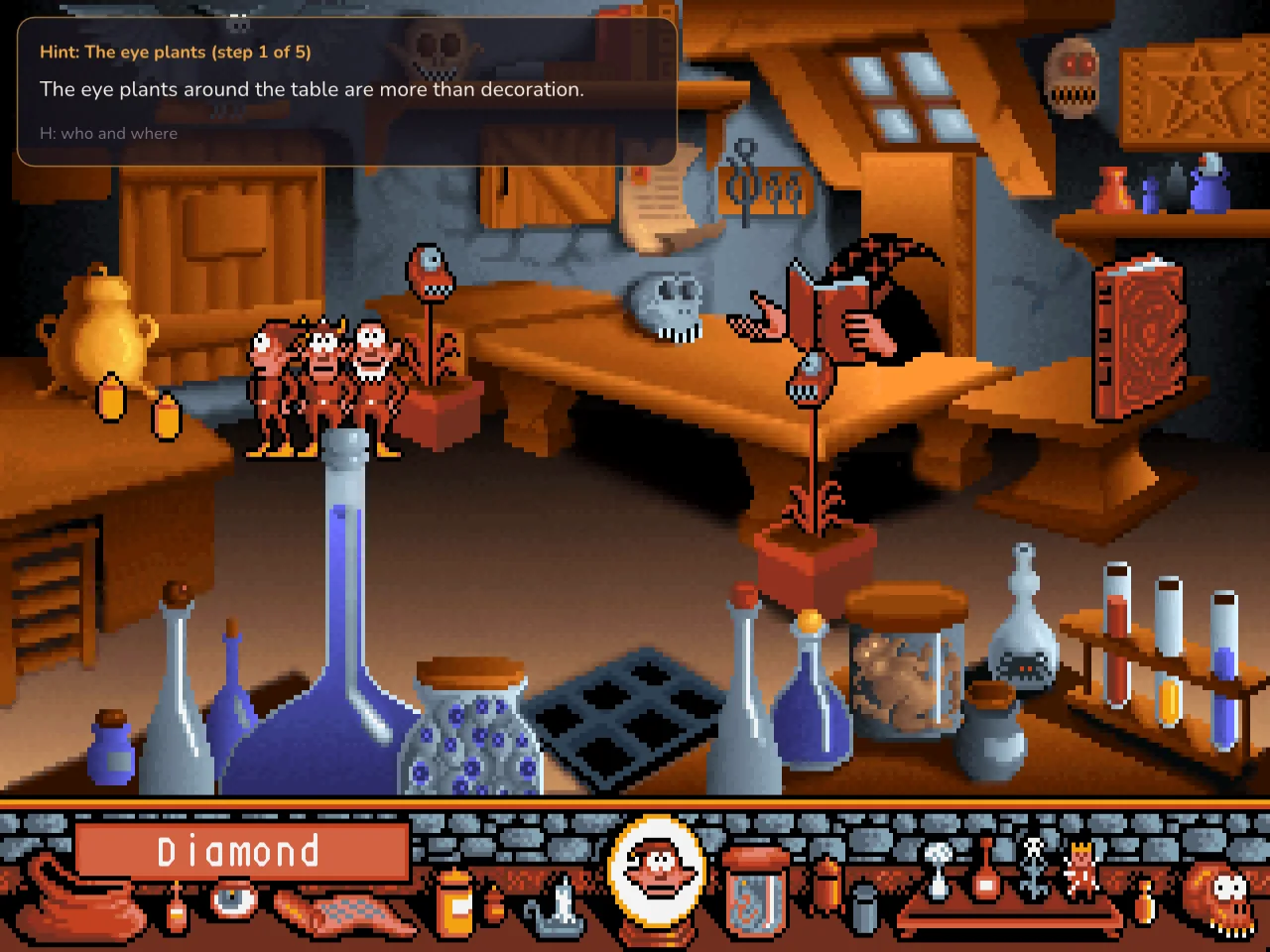
Press H (the Hint button on a touchscreen, the yellow key on an LG TV remote) and a card appears in the corner of the picture with a gentle nudge:
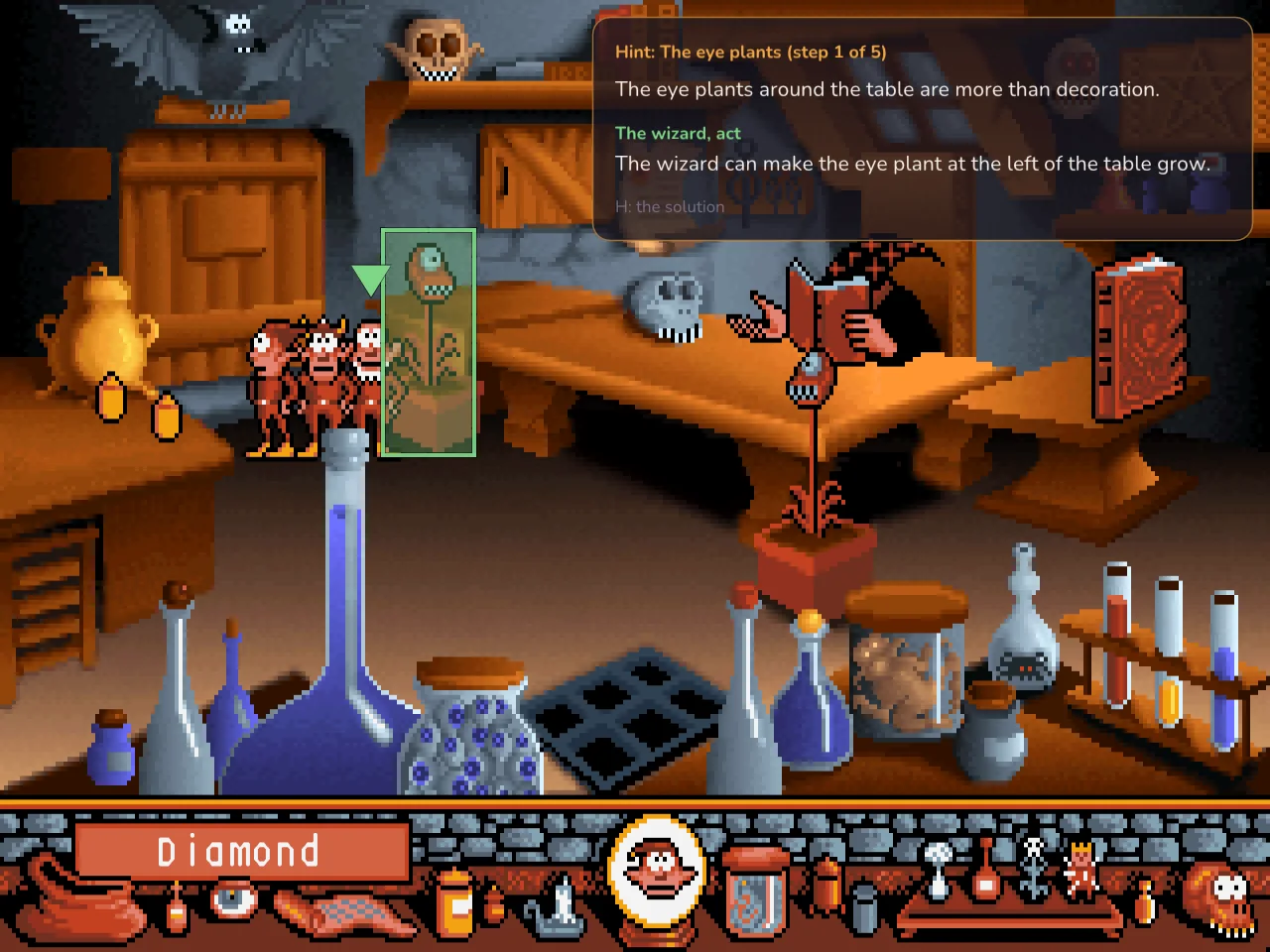
Press again for who should act and how. The spot to click starts to glow green, and an arrow bobs over the goblin who should do it:
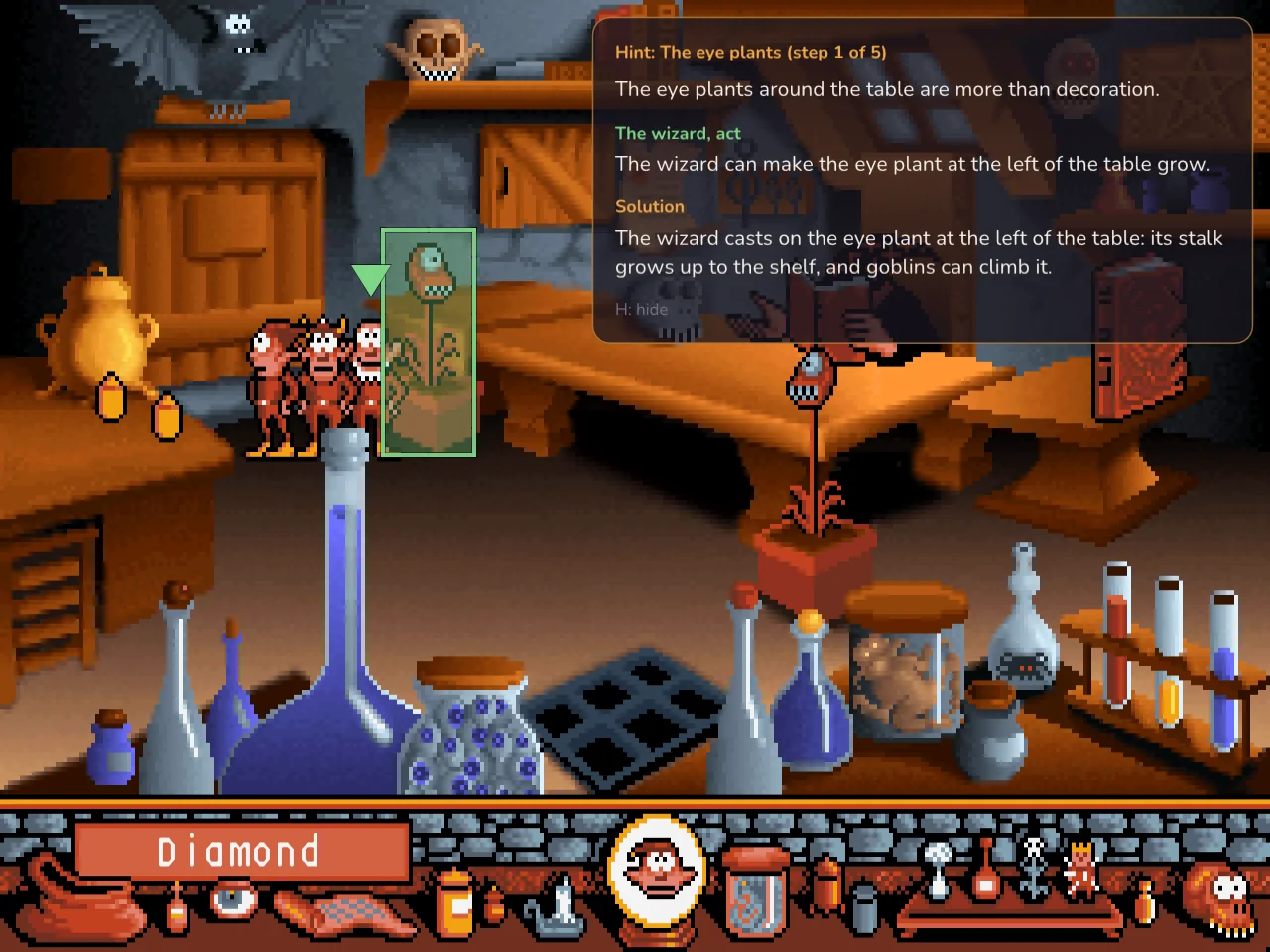
Press once more for exactly what to do:
When you solve the step, the card goes away. Next time you ask, you start again with a nudge for the next step.
It follows your game, not a list
Each hint step knows what “done” looks like in the game itself: an object in a certain state, an item in the picker’s pocket, a value the level’s script keeps. gobnative hints the step after the last one that is done, worked out fresh from the game’s state.
That makes the hints keep up with however you play. Solve things in a different order, jump between levels, load a quick save: the card is always about the next thing to do in your game. If you skip something a later step depends on (aiming the cannon before knocking a cannonball off the pile, say), the hint goes back for it.
Off unless you want it
Hints are opt-in. The first time you play a level, gobnative asks once:
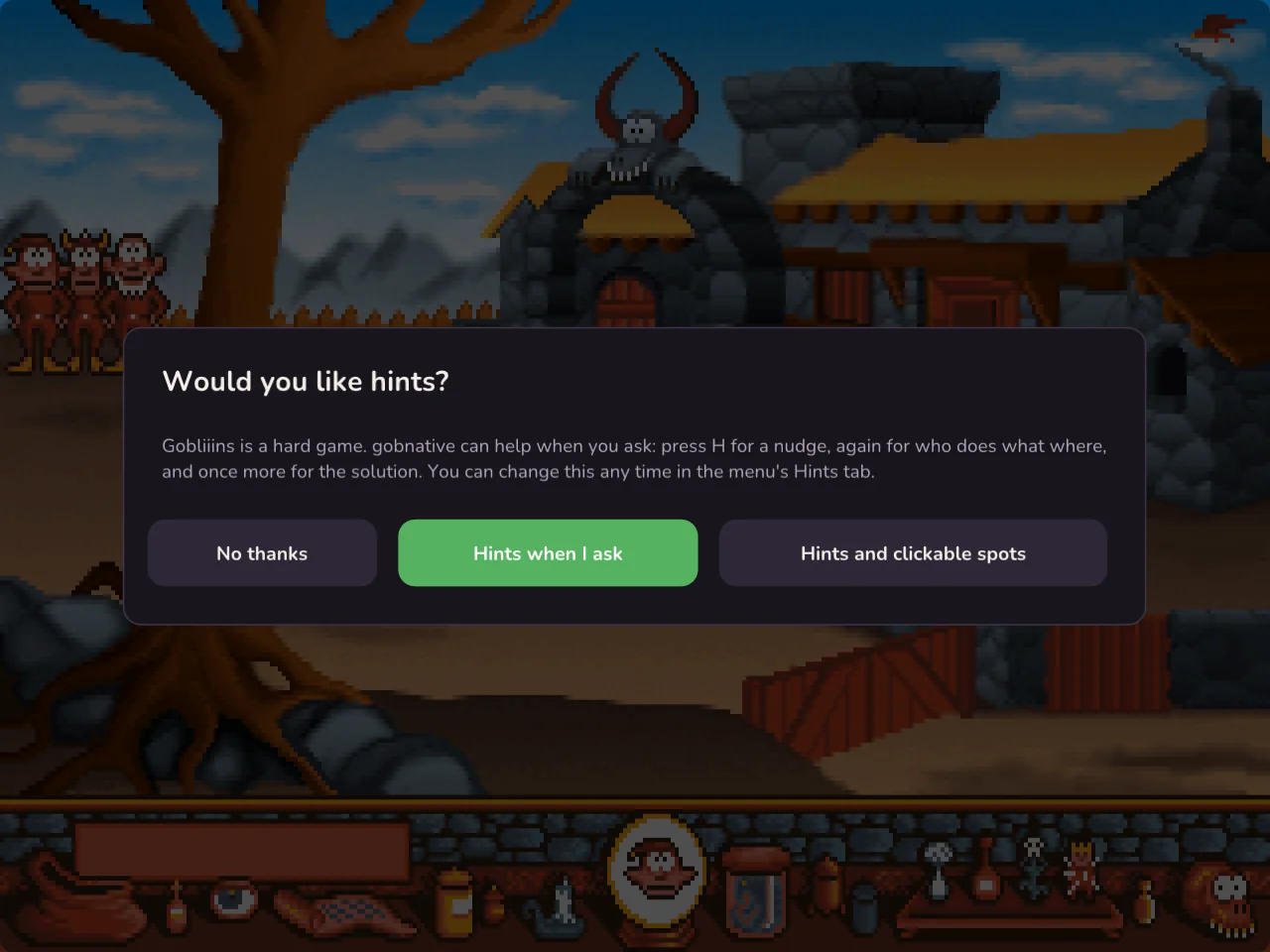
You can change your mind any time in the menu’s new Hints tab.
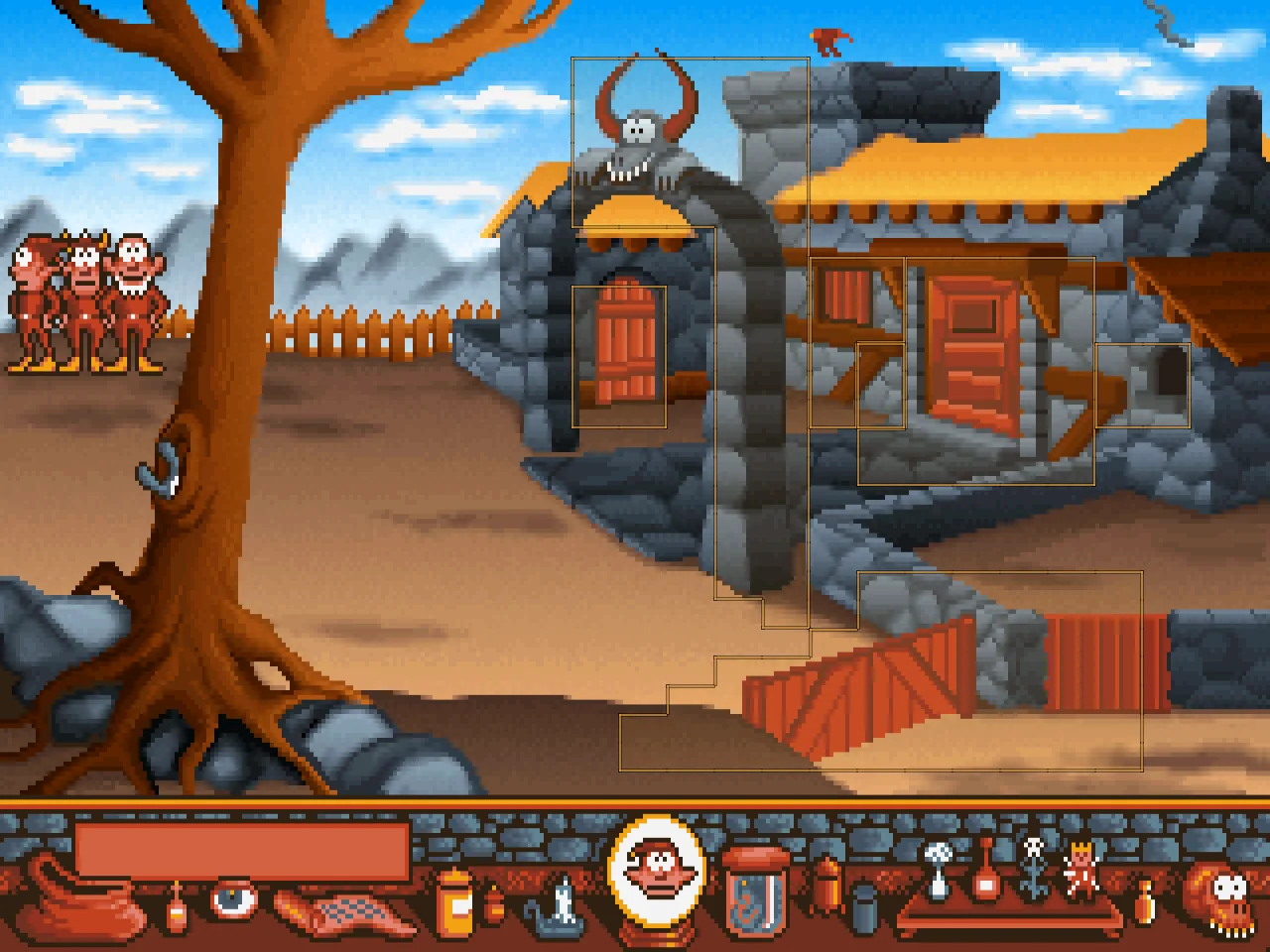
There’s also Show clickable spots, which works in all three games. A soft glow outlines everything in the room the goblins can act on, so you never lose an evening to pixel hunting:
Checked by playing the whole game
A wrong hint is worse than none, so every hint is checked automatically. gobnative already had a script that plays Gobliiins from the intro to the ending. We added a check before every step of that script: the hint must point at the step it’s about to do. That’s 175 checks across 22 levels, on every change.
Then we played every level by hand with the hints on, and that found a different kind of mistake: hints that were technically right but described the wrong thing. The first version said the giant’s hand comes down when you hit his finger. On screen, you hit him in the eye and he sticks his tongue out. A “rock” turned out to be a little palm tree. Some objects had no names at all, so the hints now use the names the game itself gives them: the Diamond, Pot1, the Cannonball.
Playing it also turned up a bug in the original 1991 game, and a level that can quietly become impossible to finish. Both have their own posts: the pillow that wasn’t and game traps.
Where to find it
Hints are in gobnative now for Gobliiins, all 22 levels, in the browser player, on macOS and Windows, and on LG TVs. Gobliins 2 and Goblins Quest 3 are coming soon.